How to Check on Elderly Parents Living Alone (2026)
 Sarah Mitchell
If you have an elderly parent living alone, you already know the feeling. It hits at odd moments: during a work meeting, in the middle of the night, while you are stuck in traffic two states away. You wonder if they ate today, whether they took their medication, if they made it safely from the bedroom to the kitchen.
You are not alone in that worry. More than 14 million Americans aged 65 and older live by themselves, according to the U.S. Census Bureau. And while living independently is something most seniors deeply value, the risks are real and serious.
Every 11 seconds
an older adult is treated in the emergency room for a fall-related injury
CDC National Council on Aging
Falls are just one piece of the picture. Heart events, strokes, medication errors, and even loneliness-related health decline all create scenarios where a timely check-in can mean the difference between a quick recovery and a life-threatening emergency.
The good news is that there are more ways than ever to check on elderly parents living alone, ranging from completely free low-tech solutions to sophisticated monitoring systems. If you have been wondering how do I monitor my elderly parent living alone, this guide covers 12 proven methods organized by type, so you can find the right combination for your family.
12 Ways to Check on Elderly Parents Living Alone
There is no single best method to monitor an elderly parent living alone. Every family has different circumstances: different budgets, different distances, different comfort levels with technology. What works is almost always a layered approach, combining two or three methods that cover each other’s gaps.
Here are 12 methods organized into four categories.
Low-Tech Methods
These approaches require no technology on your parent’s end and rely on human connection. They are often the best starting point and can be surprisingly effective.
1. Daily Phone Calls
The simplest and most personal option. A daily phone call at a consistent time gives you a direct read on how your parent is doing, both physically and emotionally. You can hear changes in their voice, gauge their energy, and pick up on confusion or distress.
How to make it work:
- Call at the same time every day so it becomes a routine
- Have a backup plan if they do not answer (try again in 30 minutes, then call a neighbor)
- Share the responsibility with siblings or other family members to prevent burnout
- Keep calls brief and positive so they feel like connection, not surveillance
Limitations: Daily phone calls depend entirely on someone remembering to call and being available. If you get busy, travel, or simply forget, there is no safety net. They also do not help during nighttime hours when most falls occur.
2. Neighbor or Friend Check-Ins
Trusted neighbors can serve as an informal but highly effective monitoring network. Someone who lives nearby can notice whether blinds are opened in the morning, whether the car has moved, or whether the mail is piling up.
How to make it work:
- Identify two to three neighbors or nearby friends and exchange contact information
- Establish a simple signal system (e.g., “If Mom’s kitchen light isn’t on by 9 AM, please knock”)
- Bring neighbors into the loop gradually and respectfully; most people are willing to help
- Reciprocate the kindness however you can
Limitations: Neighbors have their own lives and routines. They may travel, get sick, or simply not notice something. This should supplement, never replace, more consistent check-in methods.
3. Mail and Delivery Monitoring
If your parent receives regular mail, newspaper deliveries, or scheduled grocery deliveries, a pile-up is a clear signal that something may be wrong. Some families set up regular deliveries specifically as a check-in mechanism.
How to make it work:
- Sign up for USPS Informed Delivery to monitor mail from anywhere
- Arrange weekly grocery deliveries where someone interacts with your parent at the door
- Ask the postal carrier to flag any mail accumulation (some will do this informally)
Limitations: This is a lagging indicator. By the time mail is piling up, your parent may have been in trouble for a day or more. It works better as a supplementary signal than a primary method.
Technology Solutions
Technology-based methods offer more consistent, automated monitoring without requiring another human to remember every day.
4. Daily Check-In Text Services
Automated daily check-in services send your parent a text message at a scheduled time asking them to confirm they are okay. If they do not respond, the service automatically escalates by alerting designated contacts, sending reminders, or even placing phone calls.
Services like CheckRise work this way: a text goes out at your parent’s preferred time each day. They simply reply to confirm they are fine. If they miss the check-in, the system sends a reminder, then calls them, then alerts family members through their care circle. The entire escalation happens automatically, so no one needs to remember to call.
How to make it work:
- Choose a check-in time that aligns with your parent’s natural routine (after breakfast is common)
- Set up the care circle with multiple contacts so alerts reach someone who can respond
- Explain the system to your parent as a way to give them peace of mind too, knowing help will come if they need it
Limitations: Requires that your parent can receive and reply to text messages. Most seniors who use a mobile phone can handle a simple text reply, but this is not suitable for parents who do not use a phone at all. Also, a replied “OK” does not catch slow-developing situations like gradual cognitive decline.
5. Video Calling
Platforms like FaceTime, Zoom, Amazon Echo Show, and GrandPad tablets allow you to see your parent, not just hear them. Visual check-ins can reveal things a phone call cannot: a messy house, visible bruises, weight loss, or confusion that is not apparent by voice alone.
How to make it work:
- Use a device with the lowest barrier to entry (Echo Show and GrandPad can auto-answer calls)
- Set it up once and test it thoroughly so your parent does not need to troubleshoot
- Supplement regular calls with occasional video to get a visual read
- Consider a “drop-in” enabled device for family-approved unannounced check-ins
Limitations: Requires Wi-Fi and a compatible device. Some seniors are uncomfortable with video or feel it is intrusive. There is also a learning curve with technology, and devices can malfunction or lose connectivity.
6. Smart Home Sensors
Motion sensors, door sensors, and smart plugs can passively monitor your parent’s daily patterns without requiring them to do anything. If the bathroom motion sensor does not trigger by 10 AM, or the refrigerator door has not been opened all day, you get an alert.
Popular options include SimpliSafe, Samsung SmartThings, and purpose-built systems like Caregiver Smart Solutions.
How to make it work:
- Start with a few key sensors: bedroom motion, bathroom motion, and front door
- Establish baseline patterns over two to three weeks before setting alert thresholds
- Use a hub that can send notifications to your phone
- Avoid cameras in private spaces; motion sensors are far less intrusive
Limitations: Smart home sensors require Wi-Fi, initial setup, and ongoing maintenance (battery replacements, firmware updates). They also generate data that needs interpretation. A motion sensor not triggering could mean your parent slept in, not that something is wrong. False alarms can cause unnecessary panic.
7. GPS Tracking and Wearables
GPS-enabled wearables like smartwatches or clip-on trackers let you monitor your parent’s location, which is especially important if they have early-stage dementia or a history of wandering. Some devices also include fall detection and SOS buttons.
Options range from the Apple Watch (with fall detection and crash detection) to purpose-built senior trackers like Jiobit and AngelSense.
How to make it work:
- Choose a device that fits your parent’s comfort level (a simple clip-on is less intrusive than a smartwatch)
- Enable fall detection if available
- Set up geofencing alerts for important locations (home, doctor’s office)
- Ensure the device charges easily; a dead tracker is useless
Limitations: GPS trackers only work if your parent wears or carries them. Many seniors resist wearing unfamiliar devices, and some find the tracking aspect invasive. Battery life varies, and cellular-based trackers have a monthly subscription cost.
Professional Services
When family and technology are not enough, professional services bring trained caregivers and medical response teams into the picture.
8. Medical Alert Systems
Medical alert systems (also called Personal Emergency Response Systems or PERS) are wearable devices with a button that connects directly to a 24/7 monitoring center. When your parent presses the button, or when the device detects a fall, a trained operator assesses the situation and dispatches help.
Well-known providers include Medical Guardian, Bay Alarm Medical, and the classic Life Alert.
How to make it work:
- Choose between a home-based unit (with a base station) and a mobile unit (with GPS for outside the home)
- Select a system with automatic fall detection, not just a manual button
- Test the system monthly to ensure it works
- Make sure your parent is comfortable pressing the button; many seniors hesitate to “bother” anyone
Limitations: Medical alert systems only help if your parent wears the device and presses the button, or if automatic fall detection triggers. Studies show that many seniors take off the pendant at night (when falls are most likely) or do not press it because they feel embarrassed. Monthly costs range from $20 to $50.
9. Home Health Aides
For parents who need more hands-on support, a home health aide can visit daily or several times a week to assist with medication management, meal preparation, light housekeeping, and personal care. Their regular presence also serves as a check-in.
How to make it work:
- Start with a few hours a week and increase as needed
- Use a licensed home care agency for vetting, insurance, and backup staffing
- Give the aide clear instructions about what to report to you
- Build a relationship: the aide becomes an extension of your care network
Limitations: Home health aides are the most expensive option on this list, typically $25 to $35 per hour. They are also only present during scheduled visits. Finding a reliable, trustworthy aide takes time, and turnover in the industry is high.
10. Adult Day Programs
Adult day programs provide supervised activities, meals, social interaction, and sometimes medical services during daytime hours. Your parent attends the program and returns home in the evening. This ensures they are monitored and engaged for a significant portion of the day.
How to make it work:
- Look for programs through your local Area Agency on Aging
- Visit programs in person before enrolling
- Start with one to two days per week and increase if your parent enjoys it
- Transportation is often included or can be arranged
Limitations: Adult day programs typically operate Monday through Friday during business hours. They do not cover evenings, nights, or weekends. Costs range from $40 to $100 per day, though Medicaid and some long-term care insurance policies may cover part of it. Some seniors resist attending because they associate day programs with loss of independence.
Community Resources
These often-overlooked resources can add valuable layers of monitoring at low or no cost.
11. Meals on Wheels
Meals on Wheels delivers nutritious meals to homebound seniors, and the delivery itself serves as a daily check-in. Drivers are trained to notice warning signs and report concerns. In many communities, they are a critical lifeline for isolated seniors.
How to make it work:
- Find your local program at mealsonwheelsamerica.org
- Enrollment usually requires being 60 or older and homebound or having difficulty preparing meals
- Some programs also offer weekend meals and pet food delivery
- Let the program know about any dietary restrictions or health concerns
Limitations: Meals on Wheels availability varies by community. Some areas have waiting lists. The visit is brief, typically just a doorstep delivery, so it catches acute emergencies better than gradual decline. Programs also vary widely in quality and frequency.
12. Area Agency on Aging Wellness Checks
Every region in the United States is served by an Area Agency on Aging (AAA) that coordinates services for older adults. Many AAAs offer phone-based wellness check programs for seniors, friendly visitor services, and can connect your parent with a wide range of local resources.
How to make it work:
- Find your local AAA through the Eldercare Locator at eldercare.acl.gov or by calling 211
- Ask specifically about wellness check programs, friendly visitor programs, and telephone reassurance services
- These programs are usually free and staffed by trained volunteers
- They can also help navigate Medicare, Medicaid, and other benefits your parent may be eligible for
Limitations: Services vary enormously by location. Rural areas may have fewer resources. Wait times for some programs can be long, and volunteer-based services may have inconsistent availability.
Comparing All 12 Methods
| Method | Cost | Tech Required | 24/7 Coverage | Best For |
|---|---|---|---|---|
| Daily phone calls | Free | Basic phone | ❌ | Close families with shared schedules |
| Neighbor check-ins | Free | None | ❌ | Friendly neighborhoods with trusted contacts |
| Mail/delivery monitoring | Free to low | None | ❌ | Supplementary awareness |
| Daily check-in texts | $1-$15/mo | Mobile phone | ⚠️ Scheduled | Consistent daily confirmation with escalation |
| Video calling | Free to $80 device | Wi-Fi + device | ❌ | Long-distance families wanting visual check-ins |
| Smart home sensors | $100-$300 setup | Wi-Fi + sensors | ✅ | Passive monitoring without daily effort |
| GPS wearables | $15-$50/mo | Wearable device | ✅ | Parents with dementia or wandering risk |
| Medical alert systems | $20-$50/mo | Wearable + base | ✅ | Fall risk and medical emergencies |
| Home health aides | $25-$35/hr | None | ❌ Scheduled only | Parents needing hands-on daily assistance |
| Adult day programs | $40-$100/day | None | ❌ Daytime only | Socially isolated parents, respite for caregivers |
| Meals on Wheels | Free to low | None | ❌ Delivery times | Homebound seniors needing nutrition and a daily visit |
| AAA wellness checks | Free | Basic phone | ❌ Scheduled | Additional low-cost safety net |
How to Choose the Right Approach
Picking the right monitoring method for your parent is not a one-size-fits-all decision. Use these five steps to narrow down what will work best for your family.
Assess your parent's current abilities
Can they use a mobile phone? Are they comfortable with technology? Do they have mobility issues or cognitive decline? The answers will immediately rule out some options and prioritize others. A parent with moderate dementia needs very different solutions than one who is physically healthy but isolated.
Identify the primary risk you are trying to address
Are you most worried about falls, medication errors, missed meals, social isolation, or wandering? Each risk maps to different methods. Falls point toward medical alert systems and smart sensors. Isolation points toward day programs and daily calls. Wandering points toward GPS tracking.
Factor in distance and availability
If you live nearby, daily visits or neighbor networks may be practical. If you are across the country, automated solutions like check-in text services and smart sensors become more important because they do not depend on someone being physically present. For a deeper dive into managing care remotely, see our [long-distance caregiving guide](/blog/long-distance-caregiving-guide/).
Have the conversation with your parent
This is possibly the most important step. Involve your parent in the decision. Solutions that feel like surveillance will be resisted and may even be removed or sabotaged. Frame the conversation around their independence: 'This helps you stay in your home safely' is far more effective than 'We need to keep an eye on you.'
Start simple and layer over time
Begin with one or two methods and add more as needs change. A daily check-in text plus a neighbor agreement might be enough today. Six months from now, you might add smart sensors or a medical alert system. Avoid the temptation to implement everything at once, which can overwhelm both you and your parent.
Key Considerations Before You Start
Respect autonomy. Your parent has spent decades making their own decisions. Monitoring should support their independence, not replace it. Always prioritize methods they are comfortable with.
Privacy matters. Cameras and GPS tracking can feel deeply invasive. Motion sensors and check-in texts are generally better accepted because they do not record or track in the same way.
Cost adds up. A medical alert system ($30/month) plus a home health aide (10 hours/week at $30/hour) plus smart sensors ($200 setup) adds up to over $1,500 a month. Be realistic about what your family can sustain long-term.
No method is foolproof. Every approach on this list has limitations. That is precisely why a layered approach works best.
Combining Methods for Complete Coverage
The most effective strategy for how to monitor an elderly parent living alone is to combine methods that cover different time windows and risk types. Here are three example combinations based on common family situations.
Budget-Friendly Remote Monitoring
Best for: Families on a tight budget with a parent who is generally healthy and mobile.
- Daily check-in text service for consistent morning confirmation with automatic escalation ($1 to $15/month)
- Neighbor agreement for visual checks on the house and a backup contact (free)
- Weekly video call for a more in-depth visual and emotional check-in (free)
Total cost: Under $15/month
Mid-Range Comprehensive Coverage
Best for: Families with a parent who has moderate health risks and lives alone in a house.
- Daily check-in text service for routine daily confirmation ($1 to $15/month)
- Medical alert pendant with fall detection for emergencies ($25 to $40/month)
- Smart motion sensors in key rooms for passive pattern monitoring ($100 to $200 one-time)
- Meals on Wheels for nutrition and an additional daily touchpoint (free to low cost)
Total cost: $40 to $60/month plus one-time sensor setup
High-Need Full Coverage
Best for: Families with a parent who has significant health concerns, cognitive decline, or a recent hospitalization.
- Home health aide for daily visits and medication management ($150 to $250/week for 5 to 10 hours)
- Medical alert system with GPS and fall detection ($35 to $50/month)
- Smart home sensors throughout the house for 24/7 passive monitoring ($200 to $300 setup)
- Adult day program two to three days per week for socialization and supervised care ($80 to $300/week)
- Daily check-in text as a backup confirmation layer ($1 to $15/month)
Total cost: $800 to $2,500/month
The right combination depends on your parent’s specific situation. The key principle is that no single method covers everything. Low-tech human connection, automated daily check-ins, and emergency response systems each fill different gaps. For a detailed comparison of automated options, see our guide to the best daily check-in services for seniors in 2026. If you are evaluating specific services, our CheckRise vs. Snug Safety comparison and our list of the best Snug Safety alternatives cover the most popular options.
When It Might Be Time for More Help
While remote elderly monitoring can extend the years your parent safely lives alone, there are situations where living alone may no longer be the safest option. Watch for these warning signs:
- Repeated falls, especially if your parent cannot get up without help
- Significant weight loss or signs of malnutrition
- Medication mismanagement, such as taking the wrong dose or skipping doses entirely
- Worsening cognitive decline, including getting lost in familiar places or forgetting to turn off the stove
- Self-neglect, such as not bathing, wearing the same clothes for days, or letting the house become unsanitary
- Increased isolation and withdrawal from activities they previously enjoyed
If you are noticing multiple warning signs, it may be time to explore assisted living, memory care, or having your parent move in with family. These transitions are difficult, but sometimes they are the most loving choice. If the weight of caregiving has become overwhelming, know that feeling trapped caring for an elderly parent is more common than most people realize, and there are strategies to help.
Try CheckRise free for 7 days
Daily SMS check-ins with automatic escalation to your care circle. Set up in 2 minutes.
Start Your $1 TrialNo commitment. Cancel anytime.
Making the First Move
The hardest part of figuring out how to check on elderly parents is often just starting the conversation. Many adult children put it off because they do not want to make their parent feel old, incapable, or like a burden.
Reframe it. This is not about taking away their independence. It is about protecting it. A simple daily check-in, whether it is a phone call, a text message, or a neighbor stopping by, can be the thing that allows your parent to keep living in their own home, on their own terms, for years longer than they otherwise could.
Start with one method this week. A daily phone call costs nothing. A text-based check-in service takes two minutes to set up. A conversation with a neighbor takes five minutes. The peace of mind, for both you and your parent, is worth it.
Frequently Asked Questions
How often should I check on my elderly parent who lives alone?
What if my parent refuses to be monitored?
Can I check on my parent remotely if I live in a different state?
How much does it cost to monitor an elderly parent living alone?
Are daily check-in services effective for elderly monitoring?
What is the best medical alert system for elderly parents?
Try CheckRise free for 7 days
Daily SMS check-ins with automatic escalation to your care circle. Set up in 2 minutes.
Start Your $1 TrialNo commitment. Cancel anytime.
Sarah Mitchell
Senior Care Specialist
Sarah Mitchell is a senior care specialist with over a decade of experience helping families navigate aging, independence, and caregiving. She writes about practical tools and strategies that make daily life safer for older adults and less stressful for the people who love them.
Related Articles
6 Best Snug Safety Alternatives (2026)
Looking for an alternative to the Snug Safety app? We compared 6 services that work without a smartphone app, offer better escalation, or cost less.
Long-Distance Caregiving: A Practical Guide for 2026
Managing care for an aging parent from far away is uniquely stressful. This guide covers the tools, strategies, and systems that make long-distance caregiving work.
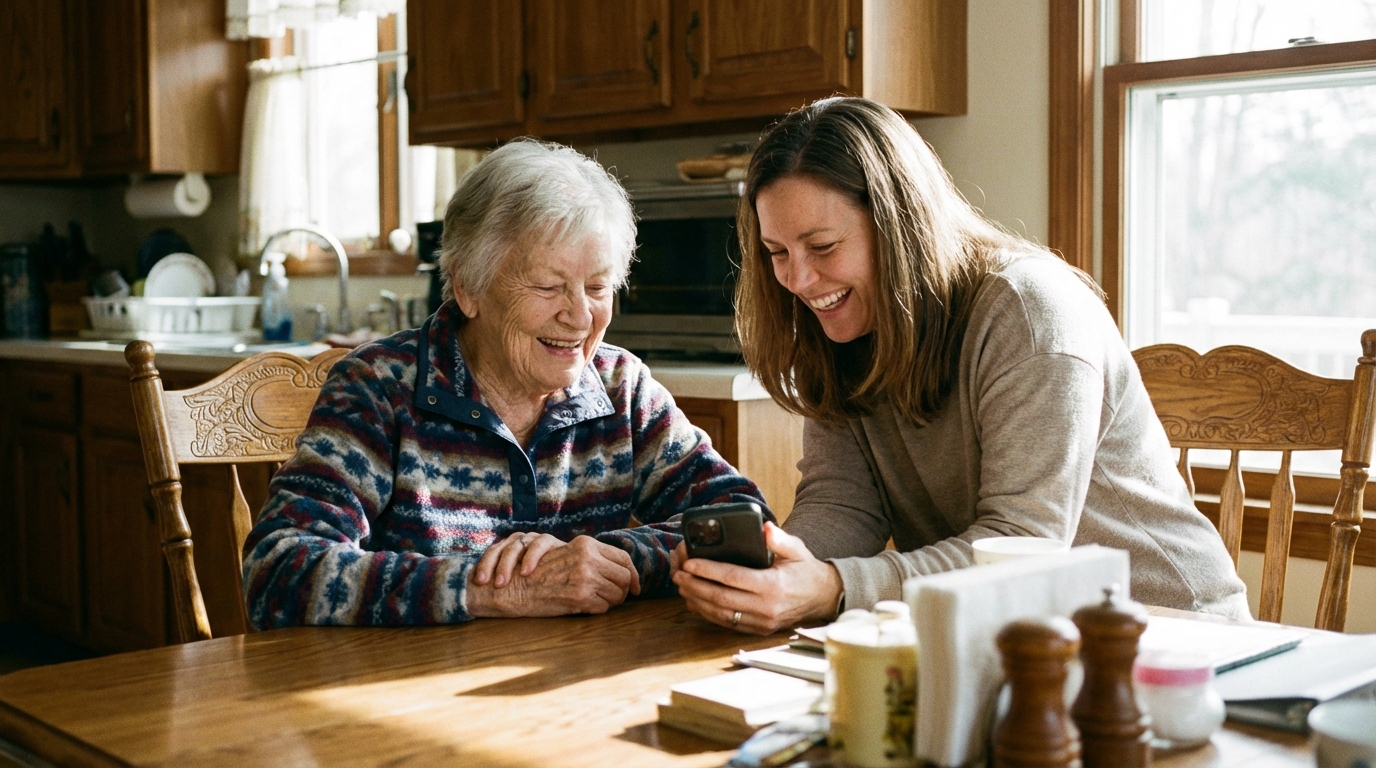
Feeling Trapped Caring for an Elderly Parent?
If caring for your aging parent has taken over your life, you're not alone. Here are practical strategies to reclaim your independence while keeping them safe.